Android Offline Point of sales(pos) Application features
The key features you should look for in the Android offline POS portion of your sales management system. This article will explain the capabilities that you typically need at the sales counter.
1. Quick search product/category or lookup key
Quick keys are shortcuts within your Android offline POS system that allow to hit a single button for a commonly selling item.
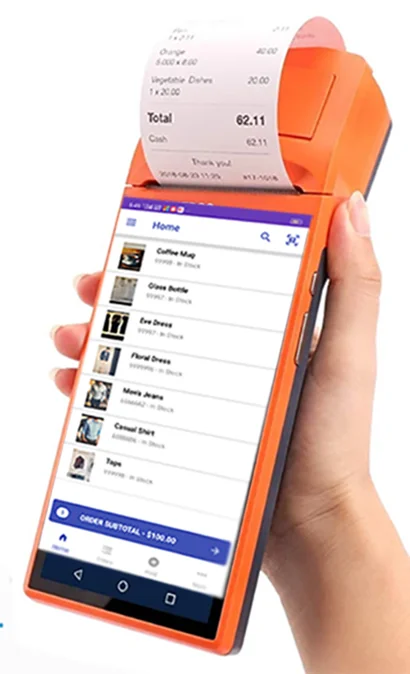
The rest of your catalog should still be easily accessible. Be sure to go with a POS that lets you quickly search or lookup products. The search feature is right on the sell screen so your sales man wont have to jump into another screen just to search and item.
2. Multiple payment methods and Credit Sales
In addition with conventional payment methods like cash and credit cards. Look for a POS that allows you to take mobile payments (upi, nfc). You also want to be able to mix different payment methods and credit sales
3. Returns, Refunds
User may be return purchased product, so that the POS system must support return mechanism.
Flexible options to return items for both refunds or store credit.
4. User accounts and permissions
You need a system that allows you to create multiple users, each of them holds different roles so that you can track the sales every person makes. This feature will ultimately allow you to set sales goals
You should also be sure to get a system that allows you to password protect each user
5. Mobility
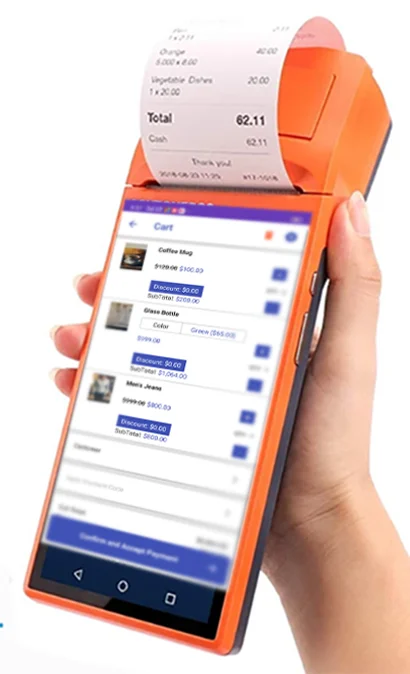
The Android POS offline Application must support most of devices , it support smartphones , tablets, Android pos devices like sunmi, rongta
6. Customer-facing display
A customer-facing display means that as a customer is being rung, they can watch the transaction happen on a (usually secondary) screen that faces them. Customer facing displays allow customers a high level of transparency into the transaction and can make it easy for them to point out if there are mistakes in the order before it is placed.
Inventory management
Inventory management is the next segment that you should look for in a retail management system, whether you have 100 products or 5,000. As its name suggests, the inventory component of the system will keep track of all of your products and even help you see which products moving well and which don’t.
7. Product imports
Be sure that whatever retail management system you go with allows you to upload all your products in a single upload. Unless you have only a few items on sale, manually uploading each product you have will get tedious and is a waste of your time when you can just get a system that will run a bulk upload.
8. Product variants
Look for a system that allows you to create variants of products. Think about a footwear store, for instance. If they sell the same shoes in 2 colors, the system should be able to record that as the same shoes is in multiple colors rather than as different
9. Barcodes sku upc
Your inventory system should be able to print bar codes (or other labeling methods) so that you can keep each of your products neatly tagged and able to track properly. That bar code allows the inventory system to know exactly where the item is in your system. You’ll use bar codes to scan when an item enters your stock, when you ship it to another store, or when you sell it.
10. Stock and auto-filled orders
Your inventory management system should also make it a snap to order more stock for your store. You should be able to both create the stock order in your system and then send it out to your suppliers through the system.
11. Inventory counts
is necessary, as you need to track your stock and check for loss. Not only should you use a system that makes your inventory counting easier, but you should use a system that will allow you to use a scanner so you can count digitally rather than manually.
Customer Management
A good retail management system will have a pared-down CRM, or customer manager, as a part of its solution, so that you can track all your customer data.
There are fewer features here to talk about because you essentially want a vamped-up address book. You should look for:
12. Searchable customer
You’ll need your employees to look up a customer each time they ring someone. They’ll attach the sale to the customer’s name so that….
13. Customer history is attached to each profile
Your contact manager needs to record the purchase history of each client. This will allow your associates to return items when the receipt was lost, or even check in and see what a certain customer likes to buy. From a wider view, the purchase history will help you with such things as marketing and merchandising decisions.
14. Custom properties
Custom properties allow you to decide what data you want to have your associates enter about your customers. Common properties include birthday or address. These pieces of data will help you with your marketing efforts and even your loyalty program.
Reporting
Beyond a simple close-out report, your POS should be able to provide you with a full set of reports helping you track the performance of your business. Here are some reporting features to look for.
15. Dashboard
A dashboard gives you an at-a-glance view of how your store is doing. It’s a great feature to have because it gives you an idea of your business’ performance without having to dig or hunt for the info.
16. Product reports
Your system must be capable of reporting on all your stock data for you. Such reports should include best and worst selling items, helping you make better merchandising and pricing decisions in the future.
17. Employee reporting
Who are your top-performing associates? Is there anyone who needs to improve? Are you setting the right sales targets? With the right employee reporting tools, answering these questions would be a breeze.
18. Customer reports
Your retail management system should give you insights into who your best customers are and what you can do to engage them. Be sure to look for customer reporting when shopping around for a POS or retail system.
19. Build your own
Ready-made reports are great, but sometimes you need build your own. For instance, let’s say you want to see a hybrid of a product report and outlet (or location) report so you can drill down on the specific items that are being sold at your stores. You can only do this if you have a system that offers flexible reporting.
Printing
The android POS system must allow the user to print receipts in different type of printers
20. Usb Printers
It must allow connect standard usb printers, android build in print support allow to print using standard printers
21. Bluetooth Printers
You can connect any Bluetooth printer using standard Bluetooth print interface